
Smart Organization with Tagging
Classifying files with tags helps you organize and search them easily.
PicSum is an intuitive and fast-performing image management app.
It eliminates the stress of managing and viewing images.
Compatible with Windows 10/11 | No Credit Card Required · 30-Day Full Access Free Trial
* Safe installation via Microsoft Store · Fully supports offline operation
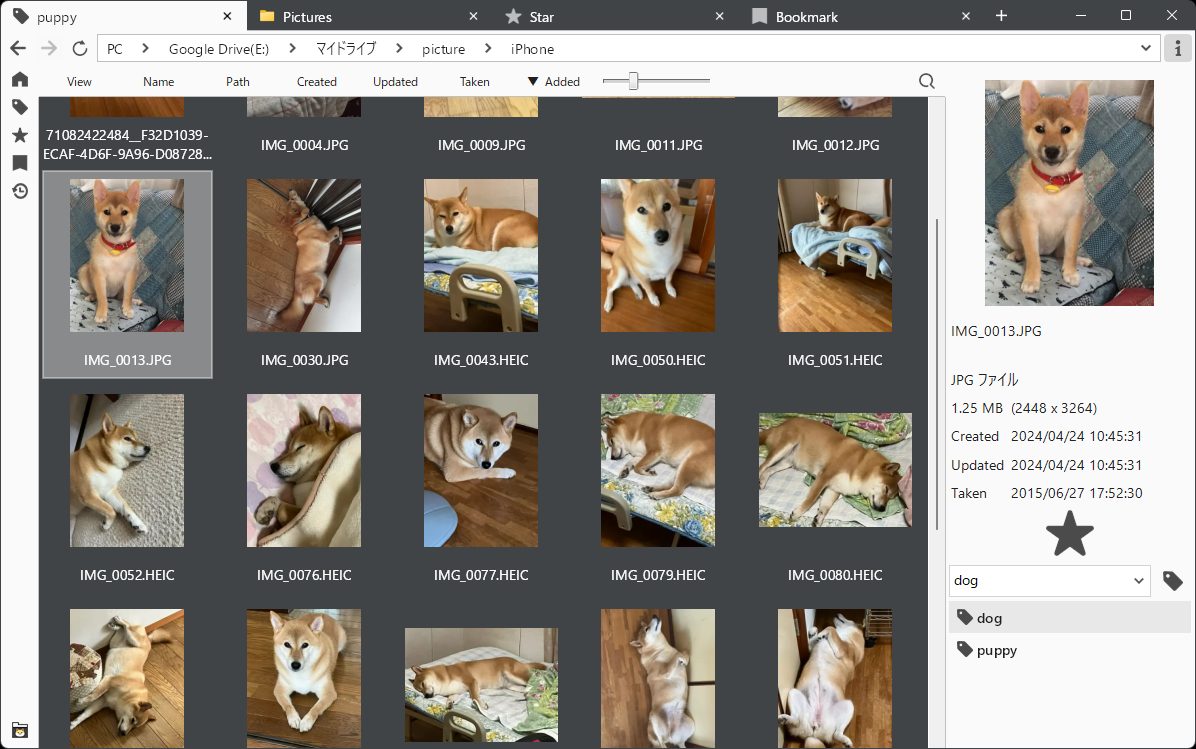
Classifying files with tags helps you organize and search them easily.
Navigate quickly to your target folders with Windows-like operations.
Switch tabs or detach windows to make multitasking seamless.
Meticulously tuned to ensure smooth operations from startup to image display.
Organize pose references, color schemes, compositions, and massive design asset libraries with tags for instant search and access.
Load and preview massive image folders with tens of thousands of files ultra-fast with zero stress.
With the "Bookmark" feature that remembers where you stopped in each folder, resume reading seamlessly anytime.
Display multiple folders and images side-by-side smartly with intuitive Chrome-like tab switching and window detaching.
When viewing images, I felt it was inconvenient to constantly switch back and forth between an image viewer app and File Explorer.
Also, displaying multiple images or multiple Explorer windows makes the desktop cluttered.
Therefore, I integrated File Explorer-like list display and operation with tab-switching and window-detaching capabilities.
Middle-click on tabMouse wheel on tabMiddle-click on file list itemMiddle-click on address bar itemMiddle-click on home buttonMiddle-click on star buttonMiddle-click on bookmark buttonMiddle-click on history buttonMiddle-click on tag in tag listSide buttonsControl + WControl + Shift + TControl + TControl + NShift + GGGControl + FControl + TabControl + Shift + TabAlt + Left ArrowAlt + Right ArrowControl + R / F5A. There is a 30-day free trial, and after the trial period, it can be purchased for 300 JPY.
A. A tree view takes up screen width and sometimes requires horizontal scrolling, which we believe reduces usability. We are currently considering alternative UI solutions, so if you have any ideas, please feel free to let us know!
A. No. Tags and stars are managed in PicSum's own database. Nothing is written into your files.
A. Modifying files is an operation that requires caution. PicSum is designed to be read-only so you can use it with peace of mind without worrying about unintended file modifications. However, exporting (copying) files is supported.
Compatible with Windows 10/11 | No Credit Card Required · 30-Day Full Access Free Trial
* Safe installation via Microsoft Store · Fully supports offline operation